
GILLY FOR MONTANA’S CONSERVATION DISTRICTS
Simple tools. A more connected permitting process.
Gilly helps Conservation Districts manage 310 permits, project information, inspections and records in one place.
From helping applicants and reviewing permits to field inspections and historical records, Gilly brings more of the permitting process into a single, organized workflow.
Spend less time managing paperwork and more time supporting applicants and protecting Montana’s streams.
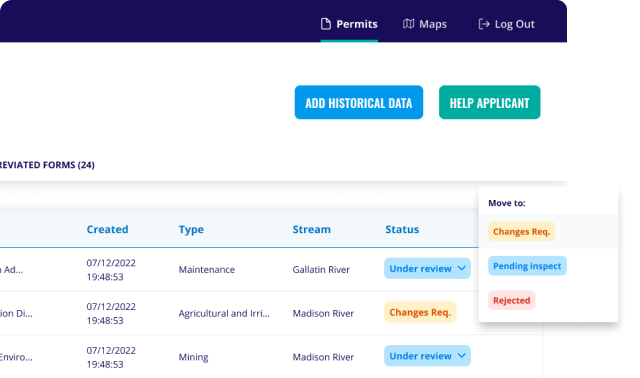
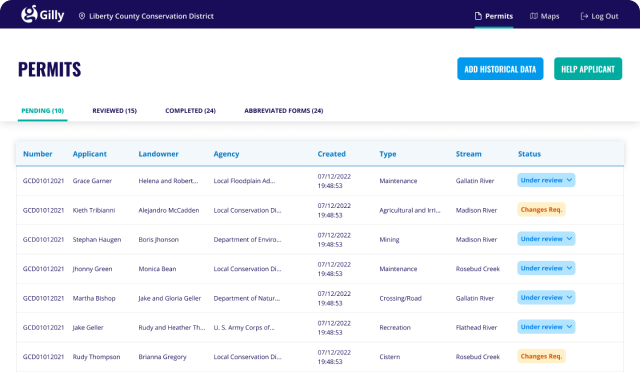
MANAGE PERMITS AND PROJECT INFORMATION IN ONE PLACE
Keep applications, permit records, notes, attachments and project information organized throughout the review process.
Access current and historical records in one system and keep important information connected to each project.
HELP APPLICANTS THROUGH THE PROCESS
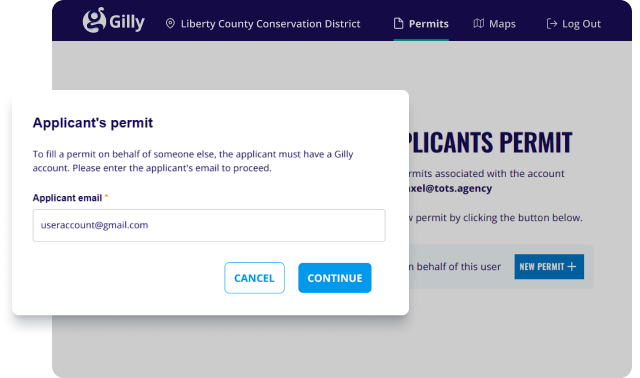
Work with applicants as they move through the 310 permitting process and help resolve missing information or questions along the way.
Keeping project information connected makes it easier for applicants and district staff to work from the same record.
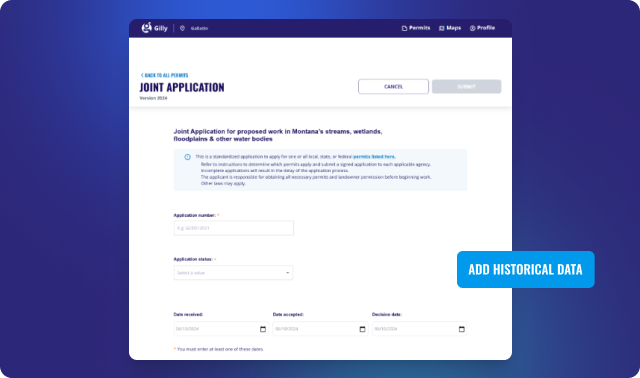
BRING EXISTING PERMIT RECORDS INTO GILLY
Bring active and historical permit records into Gilly, including applications that began outside the platform.
Keep older records accessible while managing current permit activity in the same system.
MANAGE INSPECTIONS FROM THE OFFICE OR FIELD
Coordinate inspections, work with inspectors and keep inspection information connected to the permit record.
Field tools are designed to work where you do, including locations with limited or no internet service.
KEEP REVIEWS, RECORDS AND DOCUMENTS ORGANIZED
Manage permit notes, supporting documents, signatures and other review information alongside the application.
Reduce reliance on separate files, email threads and paper records as a project moves through the process.
VIEW PERMITS AND PROJECTS ON THE MAP
Use Gilly’s mapping tools to view permit locations and relevant project information across your district.
Map-based information can help staff understand activity, review projects and access permit records more easily.
DIGITIZE YOUR PHYSICAL PERMITS -GO PAPERLESS
Easily convert your physical permits into digital documents
Simplify your file management
Provide quick, secure access.
OPTIMIZE WORKFLOWS WITH DIGITAL SIGNATURES
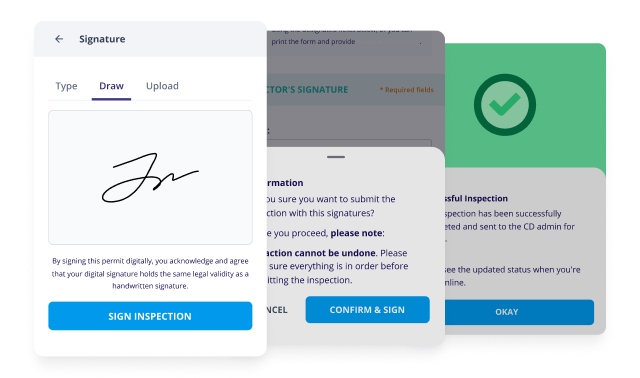
Choose digital signatures to
Eliminate unnecessary paperwork
Speed up your authorization processes
Secure signing of documents with ease.
CONDUCT MOBILE INSPECTIONS ANYWHERE
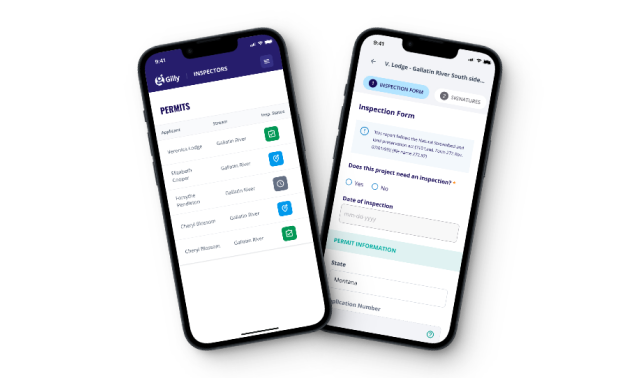
Conduct site visits and upload reports even without an internet connection using the Progressive Web App (PWA).
MAPPING TOOLS
Built-in map tools include relevant layers to assist with permit analysis and decision-making.